
The AI-Powered Workplace: AI Essentials Series

Back to home

Work Smarter, Not Harder with Everyday AI

Introducing the AI Essentials Series: 90-minute weekly sessions to help you write smarter, research faster, stay organized, and use advanced AI agents to automate tasks and boost productivity

Each session is:

  • 100% Online, Live Instructor-Led
  • Designed for Non-Technical Professionals
  • Focused on Practical, Everyday AI Use

Why Choose the AI Essentials Series?

  • Develop Immediate, Practical AI Skills – Gain practical tools you can implement in your day-to-day.
  • Practical and professional-focused – Designed for non-technical professionals ready to move beyond basic AI use and apply AI to real workplace tasks, not coding or theory.
  • Low commitment, high value – Each 90-minute session is just $25, allowing participants to choose the topics most relevant to them without a major time or financial commitment.
  • Learn from AI Experts– Sessions led by University of Maine Vice Chancellor for Finance and Strategic AI Integration Ryan Low, as well as Gretchen Catlin, Chief Facilities & General Services Officer .

AI Essentials Series Sessions

Sessions meet conveniently online on Tuesdays and Thursdays from 11:30 AM – 1:00 PM in October, November, and December.

At just $25 per session, you can sign up for individual sessions based on your interests or follow the full series to strengthen your practical AI toolkit.

Primary Focus: Microsoft Copilot is built into the applications users already open every day. This session begins at the beginning—where Copilot lives, which settings actually change your results, and what it can and cannot see—then moves into the everyday work it handles well: drafting and summarizing in Word, analyzing and charting in Excel, building and reworking slides in PowerPoint, and researching on the web.

Featured tools: the Microsoft 365 Copilot app (Chat), and Copilot in Word, Excel, and PowerPoint

Key Learning Objectives:

  • Locate Copilot across Microsoft 365—in Word, Excel, Windows, and on the web—and identify which version you have and what institutional content it can reach
  • Configure the handful of settings that most affect output quality—work versus web grounding, file and organizational access, and which model Copilot is using—and understand what those choices mean for University or other data
  • Generate, summarize, rewrite, and edit documents in Word, and analyze data, build charts, and surface insights in Excel
  • Apply a simple review habit—verify figures, check sources, and recognize the tasks where Copilot is not the right tool

Instructor: Ryan Low

Date & time: Tuesday, October 6, 2026, 11:30 AM – 1:00 PM

*75 minutes of instruction and 15 minutes of Q&A

Primary Focus & AI Tools: This applied foundations session explores Claude, an AI assistant that goes beyond conversation—it can create functional documents, spreadsheets, presentations, and interactive dashboards to support real work tasks.

Featured tools: Claude on web and desktop, Projects, and Artifacts

Key Learning Objectives:

  • Set up Claude to start from the right place—custom instructions, Projects, and choosing the right model or mode for the task
  • Use Claude to generate professional documents—Word files, Excel spreadsheets, and PowerPoint presentations ready to download and use—and build interactive dashboards and data visualizations from your information
  • Practice effective prompting techniques to get polished, work-ready outputs on the first try 
  • Explore how Claude can analyze uploaded files—summarizing documents, extracting key data, and identifying patterns in complex materials 
  • Understand when Claude’s file creation is the right approach, how to refine outputs for your specific needs, and where data-security judgment applies

Instructor: Ryan Low

Date & time: Tuesday, October 20, 11:30 AM – 1:00 PM

*75 minutes of instruction and 15 minutes of Q&A

Primary Focus & AI Tools: This applied foundations session introduces ChatGPT and begins where results actually come from—where the settings live, what they change, and what ChatGPT can and cannot see. From there it moves into the everyday work it handles well: drafting and revising, summarizing long material, planning and structuring tasks, and turning repetitive work into something faster. Participants will also see how Projects—and Skills, where a workspace has them—keep recurring work consistent instead of starting from a blank prompt each time.

Featured tools: ChatGPT on the web and desktop, custom instructions and settings, and Projects (and Skills where your workspace has them). Features vary by plan.

Featured tools: Claude Chat/Cowork/Code

Key Learning Objectives:

  • Navigate ChatGPT and adjust the settings that most affect output quality—custom instructions, memory, and model choice—and understand what those choices mean for University or other data
  • Use Projects (and Skills, where your workspace has them) to keep recurring work consistent and start from the right context every time
  • Apply foundational-to-intermediate prompting techniques to generate, revise, and structure work-ready content
  • Use ChatGPT to accelerate routine workflows (e.g., email drafts, agendas, summaries, checklists) and reduce repetitive work
  • Apply a simple review habit—verify figures, check sources, and recognize the tasks where ChatGPT is not the right tool—and exercise data-security judgment about what belongs in a prompt

Instructor: Ryan Low

Date: Tuesday, October 27, 2026, 11:30 AM – 1:00 PM

*75 minutes of instruction and 15 minutes of Q&A

Primary Focus & AI Tools: This session introduces Gemini and Gemini Notebook and provides a practical, end-to-end overview of their core capabilities through demonstrations aligned to everyday work tasks. Participants will learn key foundational settings and functionality, and will see AI assistance applied to streamline common workflows such as email management, document drafting, meeting preparation, and related productivity activities.

Featured tools: Gemini in Gmail, Docs, Sheets, and Slides; Gems; Gemini Notebook

Key Learning Objectives:

  • Access Gemini across Google Workspace applications—Gmail, Docs, Sheets, and Slides—and identify which version you have and what content it can reach
  • Use Gemini in Gmail for email management and response, and in Google Docs for content creation, editing, and formatting
  • Use Gemini in Sheets for data analysis and visualization, including the AI() function for applying a prompt down a whole column of data
  • Use Gemini Notebook to make your own documents work for you, and build reusable Gems—including with your own knowledge files—for the work you repeat
  • Identify practical ways to integrate Gemini into existing tools and workflows while applying basic quality checks to outputs and data-security judgment

Instructor: Ryan Low

Date: Tuesday, November 3, 2026, 11:30 AM – 1:00 PM

*75 minutes of instruction and 15 minutes of Q&A

Primary Focus & AI Tools: This is the second Copilot session and it begins where the first one ended. There is no setup walkthrough and no tour of the interface. The session opens with a briefing on what has changed in Copilot since our earlier sessions—new capabilities, changed behavior, and features that have moved or been retired—and then moves directly into the complex, multi-step work that a confident Copilot user can hand off, including delegated work through Copilot Cowork.

Featured tools: Microsoft Copilot across Word, Excel, and the web, including Copilot Cowork, reusable agents, and Copilot Notebooks or Pages where licensing allows

Key Learning Objectives:

  • Identify what has changed in Copilot since the previous sessions—new and expanded capabilities, revised behavior, and features that have shifted—and adjust existing habits accordingly
  • Execute complex, multi-step work in Copilot, such as building a full analysis from a raw data set or drafting a substantial document from several source files
  • Build reusable setups—agents, Copilot Cowork, Notebooks, saved prompts, and templated instructions—that standardize recurring tasks and can be shared with colleagues
  • Connect Copilot to the material staff already work in, using organizational content and file grounding deliberately rather than incidentally, and troubleshoot when the result is not what was expected

Instructor: Ryan Low

Date: Thursday, November 5, 2026, 11:30 AM – 1:00 PM

*75 minutes of instruction and 15 minutes of Q&A

Primary Focus & AI Tools: This is the second Claude session and it moves past setup entirely. It opens with what has changed in Claude since our earlier sessions and then works through genuinely complex assignments—long multi-document analysis, multi-file deliverables, and agentic work—on the desktop, the web, and mobile—where Claude plans and carries out a task rather than answering a question.

Featured tools: Claude (Chat, Projects, and Skills), Claude Cowork (desktop, web, and mobile), Claude Code, and Dispatch

Key Learning Objectives:

  • Identify what has changed in Claude since the previous sessions—new models and capabilities, revised behavior, and new ways of working—and adjust established habits accordingly
  • Assign complex, multi-stage work: analysis across a large set of documents, a deliverable assembled from several sources, and iterative revision carried out over an extended session rather than a single exchange
  • Use Projects and Skills to encode institutional context, standards, and formatting once, so that recurring work starts from the right place every time
  • Delegate agentic work through Claude Cowork, Claude Code, and Dispatch—defining a goal, supplying files and folders, setting guardrails and review checkpoints, and evaluating what comes back
  • Evaluate advanced output critically for accuracy, quality, and institutional fit, and apply FERPA, HIPAA, and data-security judgment to the higher-stakes material advanced use tends to attract

Instructor: Ryan Low

Date & time: Tuesday, November 24, 2026, 11:30 AM – 1:00 PM

*75 minutes of instruction and 15 minutes of Q&A

Primary Focus & AI Tools: This is the second ChatGPT session and it starts past the basics. It opens with what has changed in ChatGPT since our earlier sessions and then moves into advanced practice—staged prompting on complex assignments, Projects and Skills that standardize recurring work, deep analysis and synthesis across source material, and the agentic capabilities that let ChatGPT carry out multi-step tasks rather than answer single questions.

Featured tools: ChatGPT (including ChatGPT Edu, Plus, and Business where available), ChatGPT Codex and Work, ChatGPT Sites, and scheduled tasks

Key Learning Objectives:

  • Identify what has changed in ChatGPT since the previous sessions—new models and capabilities, revised behavior, and features that have shifted—and adjust established habits accordingly
  • Apply advanced prompting patterns to complex assignments, including structured requirements, role and constraint framing, critique-and-revise cycles, and staged prompts that break large work into reviewable steps
  • Design and deploy Projects and Skills that standardize recurring tasks such as briefing preparation, meeting prep, policy-aware drafting, and consistent tone and formatting across a team
  • Synthesize and analyze substantial source material to produce grounded comparisons, summaries, and decision-support output, and validate that output against the sources
  • Delegate multi-step work to ChatGPT’s agentic capabilities with clear goals, guardrails, and review checkpoints, and apply the governance judgment that higher-stakes use requires

Instructor: Ryan Low

Date: Tuesday, December 1, 2026, 11:30 AM – 1:00 PM

*75 minutes of instruction and 15 minutes of Q&A

Primary Focus & AI Tools: This is the second Gemini and Gemini Notebook session and it assumes participants are already working in both. It opens with what has changed since our earlier sessions and then moves into designing high-impact, repeatable workflows across Google Workspace—complex synthesis across many documents, substantive analysis and reporting in Sheets, reusable Gems for recurring work, and Gemini Notebook used as a genuine research and briefing environment.

Featured tools: Gemini in Gmail, Docs, Sheets, and Slides; Gems; Gemini Notebook

Key Learning Objectives:

  •  Identify what has changed in Gemini and Gemini Notebook since the previous sessions—new models and capabilities, revised behavior, and features that have shifted—and adjust established habits accordingly
  • Design repeatable, high-impact workflows across Workspace that carry complex work from source material through drafting, review, and finished deliverable
  •  Use Gemini in Sheets for substantive analysis and reporting—multi-step calculation, pattern analysis, and structured output—while validating results before they are relied on
  • Build and share reusable Gems, templated instructions, and scheduled actions that standardize recurring tasks and maintain a consistent institutional voice across a team
  • Use Gemini Notebook as a research environment: synthesizing across many sources, producing grounded briefing packets and meeting prep material, and verifying that conclusions are genuinely supported by the sources provided

Instructor: Ryan Low

Date: Tuesday, December 8, 2026, 11:30 AM – 1:00 PM

*75 minutes of instruction and 15 minutes of Q&A

Fall 2026 AI Essentials Series Details

  • Format: Live on Zoom*
  • Session Duration: 90 minutes – featuring 75 minutes of instruction and 15 minutes for Q&A
  • Session Dates and Times:
    • Tue, Oct 6, 11:30AM – 1:00PM
    • Tue, Oct 20, 11:30AM – 1:00PM
    • Tue, Oct 27, 11:30AM – 1:00PM
    • Tue, Nov 3, 11:30AM – 1:00PM
    • Thu, Nov 5, 11:30AM – 1:00PM
    • Tue, Nov 24, 11:30AM – 1:00PM
    • Tue, Dec 1, 11:30AM – 1:00PM
    • Tue, Dec 8, 11:30AM – 1:00PM
  • Included in cost of session – AI Q&A Café (office hours):
    • Mon, Nov 2, 12pm – 1pm | AI Q&A Cafe
    • Wednesday, Nov 4, 12pm – 1pm | Foundation AI Q&A Cafe
    • Monday, Nov 30, 12pm – 1pm | Foundation AI Q&A Cafe
    • Monday, Dec 14, 12pm – 1pm | AI Q&A Cafe
  • Cost: $25 per session
    University of Maine System employees: Please follow the enrollment instructions below

*While live participation is strongly encouraged, all Zoom sessions will be recorded and made available for participants who may not be able to attend for the full duration of the session.

Recommendation for paid applications: Please note that in preparation for the exercises and assignments you will do during the course, we recommend that participants have access to a paid version of a large language model, such as ChatGPT Plus, ChatGPT Edu, or Gemini Pro. The paid versions of these platforms offer more advanced capabilities, better reasoning, and improved performance for the tools and workflows we will be exploring together.


Enroll Today


University of Maine System employees – Please complete this form before registering to pay for this course via Interdepartmental Transfer using ChartFields.

Questions? Contact us at mainecenter@maine.edu


Free AI Skills Sessions

for University of Maine System Faculty & Staff

AI in the Real World: Getting Started with the Basics is a free 90-minute session created specifically for faculty and staff who are new to AI or want a clearer starting point. It also serves as an approachable introduction ahead of additional ChatGPT Edu training opportunities for the UMS community.

Primary Focus & AI Tools: This is a foundations session for University of Maine System faculty and staff who have not used AI yet, or who tried it once and set it aside. It starts at the very beginning—what generative AI actually is, what it is genuinely good at, and what it sometimes gets wrong—and then takes a guided walk around ChatGPT Edu: where the settings live, what custom instructions do, how to switch between models, and how to ask for what you actually want. At least three short live demonstrations show the same ideas at work in three different tools.

Featured tools: ChatGPT Edu, with brief live looks at Claude and Gemini. No prior AI experience is assumed.

Key Learning Objectives:

  • Explain in plain language what generative AI is and is not—that it predicts rather than looks up, and why that lets it sound confident and still be wrong
  • Navigate ChatGPT Edu with confidence: where the settings live, what custom instructions change, how to switch models, and when a slower model is worth the wait
  • Write a workable prompt using a simple recipe—who and what, the task, the context that matters, and the format you want—and use AI itself to improve the prompt
  • Improve a result through conversation rather than starting over, using follow-up requests to shape tone, length, and content
  • Apply basic judgment and data-security habits—verifying anything factual, numerical, or cited before it leaves your hands, and keeping student, health, and other protected information out of consumer AI tools in line with FERPA, HIPAA, and University guidance

Instructor: Angela Michaud

Choose one of two sessions:

  • Thursday, October 22 | 11:30 a.m. – 1:00 p.m.
  • Thursday, November 12 | 11:30 a.m. – 1:00 p.m.

To sign up for a free session, please email mainecenter@maine.edu for the registration link.


About The Instructors

Ryan Low serves as the Vice Chancellor for Finance and Strategic AI Integration & Treasurer for the University of Maine System, where he oversees financial operations, resource management, and administrative functions across the system’s seven universities. With a focus on fiscal responsibility, operational efficiency, and the strategic use of AI, he works to ensure the system remains financially sustainable while supporting its mission of accessible, high-quality education for Maine’s students.

Ryan has extensive experience in public administration, higher education finance, and AI integration. He is an active voice in discussions on the role of AI in higher education, presenting at events such as the New England Commission of Higher Education (NECHE) in Boston and the Higher Learning Commission (HLC) in Chicago. He is a member of Governor Janet Mills’ Maine Artificial Intelligence Task Force and co-chairs the UMS AI Task Force, helping to guide responsible AI adoption within the university system. Additionally, he is a member of the Generative AI Network for Accreditation and Higher Education (GAIN-AHEAD), an HLC-convened group focused on AI applications in accreditation, institutional operations, and policy development.

Angela Michaud is Strategic Operations Manager for Finance and Strategic AI Integration at the University of Maine System. She has spent 25 years with Maine’s public universities, beginning as a receptionist at Cutler Health Center when it was owned and operated by the University of Maine. She went on to serve as a Unit Coordinator, then as assistant to the Executive Director of Facilities and Real Estate, and later to the Chief Financial Officer at UMaine. In 2014, she began supporting the CFO’s office at the Orono campus, and in 2015 moved to the University of Maine System office, where she has supported the Vice Chancellor’s office ever since — advancing through three titles of her own: Administrative Assistant, Special Assistant, and now Strategic Operations Manager. Angela holds an Associate’s degree in Medical Office Management, and today her work spans board governance, executive operations, and the System’s AI implementation and training.

Gretchen Catlin serves as the Chief Facilities & General Services Officer for the University of Maine System, where she leads systemwide efforts in facilities, risk and safety, strategic procurement, capital planning, and work management systems. She is pursuing a PhD in Public Policy with a focus on educational leadership at the University of Southern Maine, building on her MBA from the University of Maine and her Bachelor’s in Business Administration from Husson University. In addition to her studies and work, Gretchen also serves on the United Educators Risk Advisory Board. 

Gretchen views AI as a powerful workforce multiplier – a tool that enhances communication, streamlines routine tasks, and supports more efficient research and decision-making. Under her leadership, teams have applied AI to build chatbots, document standard operating procedures, and develop practical solutions that improve efficiency and service. Her work emphasizes using AI responsibly to improve productivity across higher education and business settings.

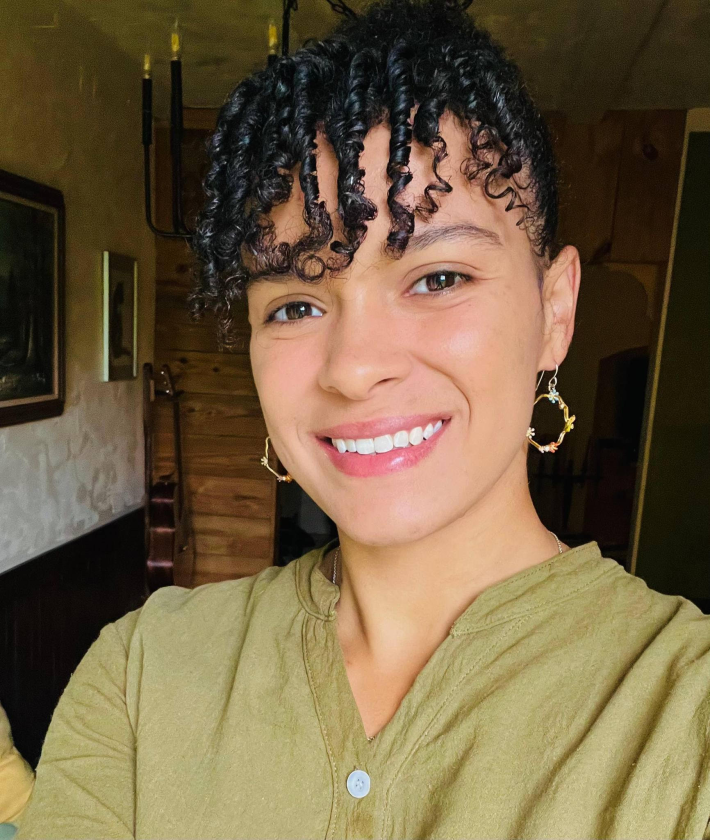
Danae London serves as the Integrated Work Management System (IWMS) Manager for the University of Maine System, where she runs the Unified Work Control Center in support of UMS Facilities and General Services. She has worked for the University of Maine System for 7 years.
Danae champions practical, accessible technology that supports both people and business productivity. She believes the best tools are effective, enjoyable, and easy for everyone to use